
PDF Converter Online: A Smarter Way to Handle Documents in 2026
PDF files are everywhere.
You receive them in emails, download them from websites, create them for work, submit them for school, send them to customers, and store them for future reference. The format is excellent for preserving the appearance of a document, but working with a PDF is not always as simple as viewing one.
What happens when you need to edit a PDF?
What if the file is too large to send?
What if five separate documents need to become one?
Or perhaps you have a PDF that needs to become a Word document, spreadsheet, or image.
This is where an online PDF converter becomes useful.
Instead of installing a different application for every document task, browser-based utilities can provide a convenient way to convert, organize, compress, and process files from almost any modern device.
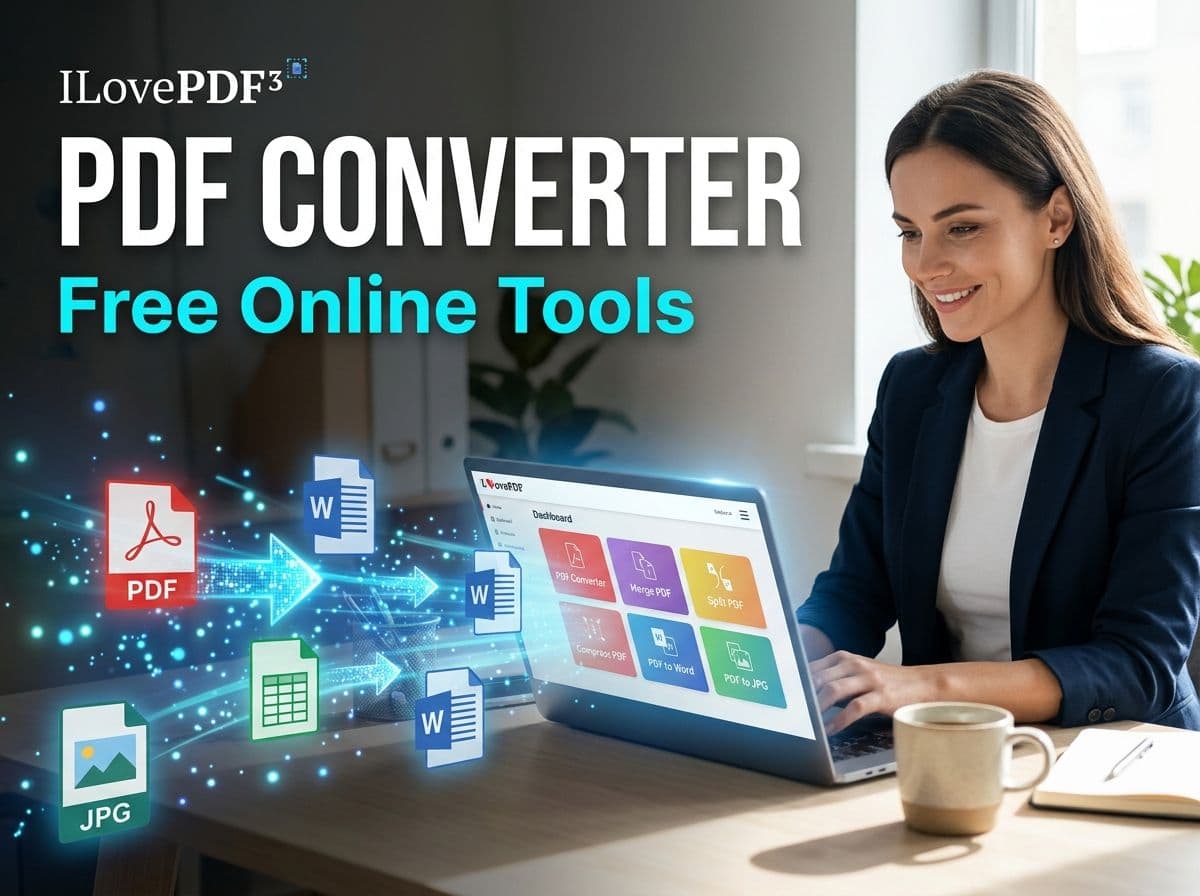
One example is ILovePDF3, which brings PDF tools, image utilities, and file conversions together in one online platform. Its current collection includes tools for converting, merging, splitting, compressing, editing, extracting, organizing, and working with different document and image formats.
Why PDF Files Can Become Difficult to Manage
PDF was designed to preserve document presentation.
That is one of its biggest advantages.
A report created on one computer can generally retain its layout when opened somewhere else. Fonts, spacing, images, tables, and page arrangements are intended to remain consistent.
But this strength can become a limitation when you need to change the underlying content.
For example, imagine receiving a 20-page PDF report and being asked to update a few figures.
You might not have the original Word or Excel file.
Now you have a PDF that looks perfect but is inconvenient to modify.
Another common situation involves file size. A PDF containing high-resolution photographs or scanned documents can become much larger than expected.
Then there are organizational problems.
You might have:
- Several PDFs that need to become one file
- One large PDF containing pages you do not need
- Images that need to become a single document
- A PDF that needs to be converted into an editable format
- A document that needs compression before uploading
- Scanned pages that need text extraction
These are precisely the situations where Free online tools can become useful.
What Does a PDF Converter Actually Do?
A PDF converter changes a document from one format into another.
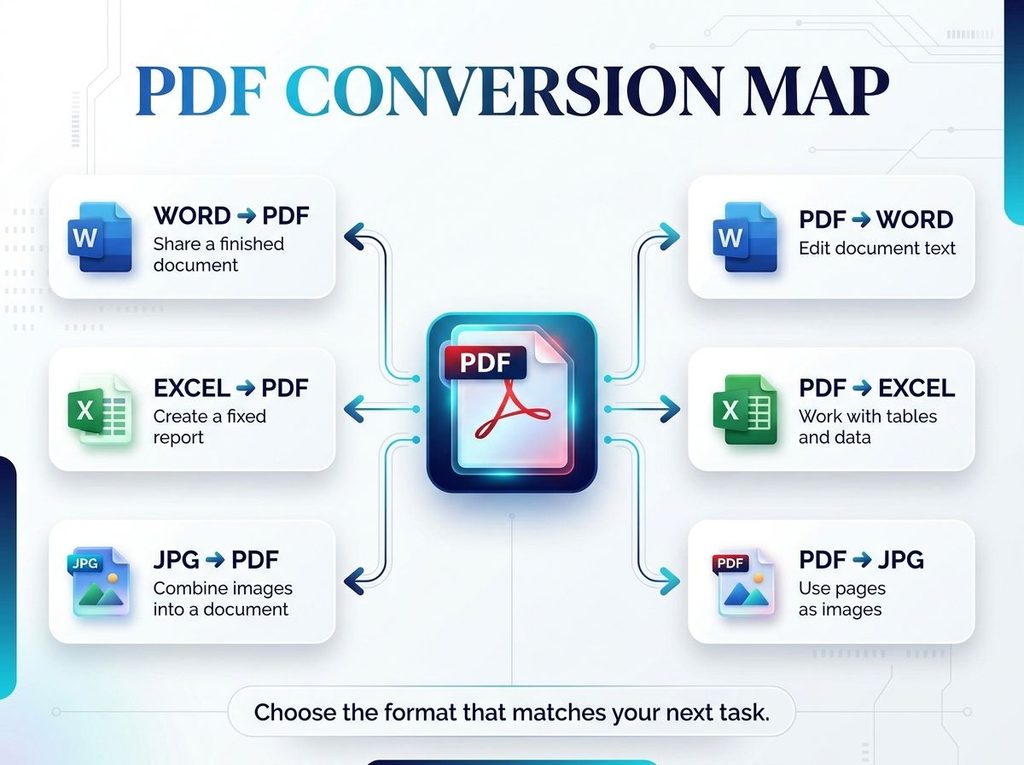
The exact formats depend on the particular service, but common workflows include:
Useful when text needs to be edited in a word processor.
Helpful when information contained in tables needs to be moved into a spreadsheet.
Useful when individual PDF pages need to be used as images.
Helpful when photographs, scans, screenshots, or images need to be combined into a document.
Useful when a finished document needs to be shared in a more standardized format.
Helpful when a spreadsheet needs to be distributed as a fixed document.
Modern PDF services increasingly combine these conversion functions with other document operations rather than treating conversion as an isolated feature.
The Difference Between Converting and Editing a PDF
These two concepts are often confused.
A converter changes the format.
An editor changes the contents or structure of the document.
For example, converting a PDF into Word may give you an editable document. But if you only need to remove one page, rotate a page, add a number, or rearrange the order of pages, conversion may be unnecessary.
A broader online document toolkit can therefore be more useful than a standalone converter.
With ILovePDF3, users can access conversion alongside tools designed for organizing and modifying PDF documents. Its available utilities include functions such as merging, splitting, compressing, extracting pages, rotating documents, adding page numbers, extracting text, and working with PDF metadata.
That means the better question is often not:
“How do I convert this PDF?”
It is:
“What do I actually need to do with this PDF?”
7 Common PDF Problems and the Right Solution
1. “My PDF Is Too Large”
Large PDFs can be inconvenient to upload, email, store, or share.
A PDF compressor can reduce the file size while attempting to maintain an acceptable level of quality.
This is particularly useful for scanned documents and image-heavy PDFs.
For example, a portfolio containing dozens of high-resolution pages may look excellent but become unnecessarily difficult to send.
Compression gives you a way to create a more manageable version.
2. “I Have Too Many PDFs”
Suppose you have separate PDFs for a proposal:
- Cover page
- Company profile
- Pricing
- Portfolio
- Terms and conditions
Sending five separate attachments is possible, but a single organized document may be easier for the recipient.
A PDF merger can combine the documents into one file.
This is useful for business proposals, applications, assignments, reports, portfolios, manuals, and presentations.
3. “I Only Need a Few Pages”
Now consider the opposite problem.
You receive a 100-page document but only need pages 25 through 30.
There is little reason to send the entire document.
A PDF splitter or page-extraction tool can help isolate the pages you actually need.
This is especially useful when dealing with large reports, manuals, invoices, contracts, application documents, or educational material.
4. “I Need to Edit the PDF”
If the original document is unavailable, converting the PDF to Word may provide an easier editing workflow.
However, conversion quality can vary depending on how the PDF was created.
A digitally generated PDF containing selectable text is generally easier to process than a scanned document that consists primarily of images.
For scanned documents, OCR can be important because optical character recognition attempts to identify text contained within images.
ILovePDF3 currently includes PDF text-extraction and other document-processing utilities alongside its conversion tools.
5. “My Photos Need to Become One Document”
Imagine photographing several pages using your phone.
You now have:
page1.jpg
page2.jpg
page3.jpg
page4.jpg
Sending four individual images may not be ideal.
An image-to-PDF tool can turn the collection into a single document.
This workflow is useful for receipts, handwritten notes, forms, assignments, certificates, scanned paperwork, and other everyday documents.
6. “I Need a PDF Page as an Image”
Sometimes the workflow goes in reverse.
Perhaps you need the first page of a report for a presentation or want to use a document page as a visual asset.
Converting PDF pages into JPG or PNG can be easier than taking screenshots.
The resulting image can then be used in presentations, design projects, websites, social posts, or other visual workflows.
7. “I Need to Organize My Document”
PDF management is not always about conversion.
Sometimes the file is already in the correct format.
The problem is its structure.
You might need to:
- Rearrange pages
- Rotate pages
- Remove unnecessary pages
- Extract specific pages
- Add page numbers
- Organize multiple files
- Update document information
This is where having several Free online tools available from one location can save time.
Why Online Tools Are Becoming Popular
There is a practical reason people search for browser-based utilities.
Software installation adds friction.
You have to find the application, download it, install it, update it, and make sure your computer supports it.
That can be unnecessary when you have a one-time document task.
An online tool can provide a simpler workflow:
Open browser → choose tool → upload/select file → process → download result.
This can be particularly useful on shared computers or devices where installing software is inconvenient.
It can also make document work more accessible across desktops, laptops, tablets, and smartphones.
ILovePDF3 as a Multi-Tool Document Workspace
The interesting part of ILovePDF3 is that the platform is not limited to one conversion.
Its current website combines three broad areas: PDF tools, image tools, and file conversions.
That creates a different approach to document management.
Instead of searching for:
“PDF to Word website”
then:
“PDF compressor”
then:
“JPG to PDF”
then:
“merge PDF”
you can start with one document toolbox and choose the operation you actually need.
Its current tool collection includes options such as PDF-to-Word, PDF-to-Excel, JPG-to-PDF, PNG-to-PDF, PDF splitting, PDF merging, compression, text extraction, PDF analysis, page organization, and several other utilities.
Who Uses PDF Converters?
You do not need to work in an office to need a PDF converter.
Students
Students regularly deal with assignments, lecture notes, scanned documents, applications, presentations, and research material.
Combining several files into one PDF or converting a document into a required format can simplify submissions.
Freelancers
Freelancers frequently send proposals, invoices, portfolios, contracts, reports, and client deliverables.
A collection of document tools can help them prepare files without switching between multiple applications.
Small Businesses
Small businesses may need to process invoices, forms, reports, receipts, applications, and other documents.
Having accessible browser-based tools can reduce the friction involved in everyday file management.
Teachers
Teachers work with lesson plans, worksheets, assignments, presentations, scanned papers, and educational resources.
PDF tools can help organize and convert those materials into formats appropriate for distribution.
Everyday Users
Even someone who rarely works with documents can suddenly need a PDF tool.
A government form.
A scanned certificate.
A rental document.
A receipt.
An application.
A collection of photographs.
A file that is simply too large to email.
You do not need to be a PDF expert to benefit from a PDF toolkit.
What Makes a Good Online PDF Tool?
Not every PDF service is identical.
When choosing a tool, consider several factors.
Ease of Use
The interface should make the purpose of each tool obvious.
You should not need a technical background to understand how to convert or organize a document.
Format Support
A useful platform should support the formats relevant to your workflow.
The more conversion options available, the fewer separate services you may need.
Quality
Conversion should preserve as much of the original document’s structure and content as reasonably possible.
Complex tables, images, fonts, and scanned pages can create additional challenges.
Accessibility
A browser-based solution is particularly convenient when you need to work from different devices.
Privacy
Documents can contain sensitive information.
Before uploading confidential material to any online service, always review that service’s privacy and file-handling policies and consider whether an online workflow is appropriate for the document.
A Better Way to Think About PDF Tools
The biggest mistake is thinking of a PDF converter as a single-purpose website.
PDF work is really a chain of small tasks.
You might start with a Word document.
Then convert it to PDF.
Then discover that the resulting file is too large.
You compress it.
Then realize that another document needs to be attached.
You merge the files.
Finally, you extract one page for a presentation.
That is not one PDF task.
It is a workflow.
This is why collections of Free online tools can be more practical than individual utilities.
Final Thoughts
PDFs are designed to make documents easier to share, but managing them can still become surprisingly complicated.
Fortunately, you do not always need a large desktop application to solve everyday document problems.
A reliable PDF converter can help move files between formats. Compression tools can make oversized documents easier to share. Merge and split utilities can organize pages. Image converters can turn photographs into documents or PDF pages into images.
And when all of these functions are available from one place, the entire workflow becomes easier to navigate.
ILovePDF3 brings together PDF utilities, image tools, and file conversions, giving users a broad collection of browser-based solutions for everyday document tasks.
Whether you are a student preparing an assignment, a freelancer sending a client proposal, a business organizing paperwork, or simply someone trying to deal with a stubborn PDF, the right online tool can turn a frustrating task into a straightforward one.
The next time a PDF causes a problem, don’t ask yourself which complicated software you need to install.
First ask a simpler question:
What exactly do I need this file to become?
Once you know that, finding the right tool becomes much easier.